How to Avoid Losing Game Progress: Simple Ways to Protect Your Saves

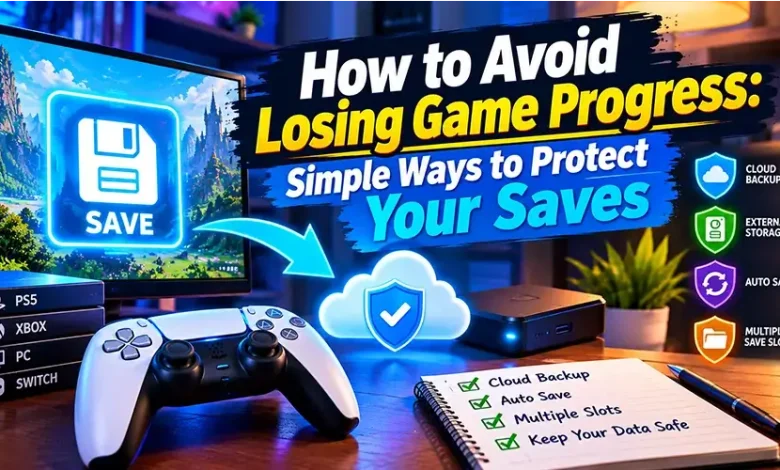
Losing game progress can turn a good gaming session into a frustrating one, especially when hours of completed levels, unlocked items, achievements, or carefully built strategies suddenly disappear. The problem is not always a major technical failure. Sometimes progress is lost because a player closes a game before a save finishes, uses a different account, clears browser data, or assumes that every game automatically stores progress online.
To avoid losing game progress, the most useful approach is to understand where a game stores your progress and what can interfere with that storage. A few simple habits can make your saves much more reliable without requiring complicated technical knowledge.
First, Find Out Where Your Progress Is Stored
Before worrying about backups, determine how the particular game saves your progress. Online games do not all use the same system. A game may connect progress to an account, store information in the browser, save files locally on a device, or use a combination of these methods.
This distinction matters because the same action can have very different consequences depending on the game. Clearing browser storage may have little effect on one game while removing locally stored progress from another. Likewise, signing into the wrong account can make your progress appear to have vanished when it is actually attached to a different profile.
- Account-based saves: Progress is associated with a player account and can often be retrieved after signing in again.
- Cloud saves: Save information is stored remotely and may synchronize between supported devices.
- Local saves: Progress is stored on the device or within the game’s local files.
- Browser-based saves: Some browser games keep progress using browser storage or cookies.
- Hybrid systems: A game may use an account for some information while keeping certain settings or temporary data locally.
If the game provides a settings, account, save, or profile section, check it before making changes to your browser, device, or account. Knowing the save method is the foundation of protecting your progress.
Use the Same Account Every Time
One of the easiest mistakes to make is starting a game while logged into one account and returning later with another. This can happen when a browser automatically signs you into a different profile or when several accounts are used on the same device.
If a game supports accounts, make a habit of checking the active profile before starting a new session. Pay particular attention when switching between email accounts, social sign-ins, or different gaming platforms.
If your progress suddenly looks empty, do not immediately assume that the save has been deleted. First check whether you are using the account or profile that originally contained the progress.
Do Not Close the Game During a Save Operation
Many games save progress automatically, but automatic saving does not necessarily mean that every action is saved instantly. A game may need a few seconds to complete a save or synchronize information with its server.
When you finish an important level, complete a difficult challenge, or obtain something valuable, give the game enough time to finish saving before closing the tab or application.
Useful signs can include a save icon, synchronization message, loading indicator, or a brief change in the game’s interface. If the game has a manual save option, using it before leaving can provide an additional layer of protection.
Important rule: after a major achievement, wait for the game to confirm or complete its save process before closing it.
Be Careful When Clearing Browser Data
Browser games deserve special attention because some can store progress directly in browser storage. Clearing cookies, site data, cached information, or other stored data may affect a game’s ability to recognize previous progress.
This does not mean you should never clear browser data. It means you should understand what may be removed before doing it.
If a browser game matters to you, look for an account or cloud-save option first. If the game does not provide one, check its instructions or support information to determine whether progress depends on local browser storage.
Also remember that private or incognito browsing can behave differently from a normal browser session. If a game depends on local browser storage, using a private window may not provide the same persistence you expect from a regular session.
Keep Your Browser and Game Environment Consistent
Changing browsers or devices is not automatically dangerous, but it can expose differences in how a game stores and retrieves progress. A save that exists locally on one browser may not automatically appear in another browser.
For browser games, staying with the same browser profile can reduce unnecessary confusion when the game uses local storage. If you move to another device, look for an account-based or synchronization option rather than assuming that the save will follow you.
It is also useful to keep your browser reasonably up to date. Updates can change how websites function, so if a game suddenly behaves differently after a browser change, check the game’s support information before repeatedly changing settings or deleting stored data.
Protect Progress Before Changing Devices
Replacing a computer, phone, or tablet is one of the situations where players most often discover whether their progress was actually backed up.
Before moving to a new device, make a short checklist:
- Confirm which account the game uses.
- Check whether progress is synchronized online.
- Make sure you know your login details.
- Check whether the game offers a backup or export feature.
- Do not erase the old device until important saves have been verified on the new one.
If the game stores progress locally and provides an official save backup or export method, use that method before removing the old installation. Avoid copying random game files unless the developer specifically documents that process, because the relevant save data may be protected, stored elsewhere, or dependent on additional files.
What to Do When Progress Appears to Be Missing
When a save disappears, repeatedly restarting the game or creating a new save can sometimes make troubleshooting harder. Start by identifying what actually changed.
Check the account
Confirm that you are signed into the same account, profile, or platform used when the progress was created.
Check the game version
If the game has recently changed or been updated, check whether the developer provides information about save compatibility or synchronization problems.
Restart the normal way
Close and reopen the game normally, then allow enough time for account information or cloud data to synchronize. Avoid repeatedly switching accounts while testing.
Look for another save slot
Games with multiple save slots can make an old save easy to overlook. Check all available profiles and slots before assuming the data is gone.
Use official support information
If the progress is associated with an online account, consult the game’s official support documentation for recovery steps. Avoid third-party programs or unofficial tools that claim they can recover or modify saves, particularly when they require your account credentials.
Common Habits That Put Game Progress at Risk
| Habit | Potential problem | Safer approach |
|---|---|---|
| Closing the game immediately after an important event | The latest progress may not have finished saving | Wait for the save or synchronization process to finish |
| Using several accounts without checking the active profile | Progress can appear to disappear | Verify the account before playing |
| Clearing all browser data without checking the game | Locally stored progress may be removed | Check the game’s save system first |
| Deleting an old device immediately | Local saves may be lost before transfer | Verify important progress on the new device first |
| Using unofficial save-recovery tools | Account or save data may be exposed to unnecessary risks | Use official recovery and support options |
| Assuming every game uses cloud saves | Local progress may not transfer between devices | Confirm the game’s actual save method |
A Simple Save-Safety Routine for Regular Players
You do not need to constantly think about backups while playing. A small routine is enough for most situations.
- Use the same account whenever possible.
- Check that important progress has finished saving before leaving.
- Avoid clearing game-related browser data without checking its effect first.
- Confirm synchronization before changing devices.
- Use official backup or export features when a game provides them.
- Keep important login credentials secure and available.
- When something goes wrong, troubleshoot the account and save system before deleting anything.
The most important habit is simple: do not assume that visible progress automatically means safely stored progress. Understanding where that progress lives is far more useful than relying on assumptions.
Browser Games Need Extra Attention
Browser games can be especially convenient because they do not always require a traditional installation. That convenience can also make save behavior less obvious.
If you regularly play games directly in a browser, pay attention to whether the game asks you to create an account. An account-based system can make it easier to continue across sessions, while a game that works without an account may rely more heavily on information stored in the browser.
Before clearing site data, changing browser profiles, or moving to another computer, determine whether the game provides a way to connect progress to an account. If it does not, treat the existing browser environment as potentially important to the save.
When Cloud Saves Are Not Enough
Cloud synchronization can greatly reduce the risk of losing progress, but it should not be treated as an automatic guarantee against every problem. Synchronization may depend on the correct account, an internet connection, supported devices, or the game’s particular save system.
For games that provide both local and cloud saves, pay attention to synchronization messages and conflict warnings. If a game asks you to choose between different versions of a save, stop and read the options carefully rather than selecting one at random.
For particularly valuable long-term saves, an official backup or export feature can provide additional protection when available.
Frequently Asked Questions
Can clearing browser cache delete my game progress?
It depends on how the game stores its data. A game that keeps progress in browser storage may be affected by clearing site data, while a game that stores progress entirely on an online account may not be. Check the game’s save system before deleting browser data.
Why did my game progress disappear after changing devices?
The original progress may have been stored locally rather than synchronized online. It can also happen when the new device is using a different account or profile. Verify both the save method and the account before assuming the progress is permanently lost.
Does logging into an account automatically restore all progress?
Not necessarily. Restoration depends on the game’s account and synchronization system. Some games connect most progress to an account, while others keep certain information locally.
How can I tell if a game has cloud saves?
Look in the game’s account, settings, save, synchronization, or support sections. If the game does not clearly explain its save system, consult its official documentation rather than assuming that cloud storage is available.
What should I do if my save suddenly disappears?
First verify the account and profile, then check save slots and synchronization status. Avoid deleting existing data or creating replacement saves until you understand what happened. If the game uses an online account, official support may provide recovery options.
Final Thoughts
The best way to avoid losing game progress is not complicated: know where your save is stored, use the correct account, allow saves to finish, and be cautious when changing browsers, devices, or stored data. These habits are particularly important for browser games and long-running games where a large amount of progress can depend on a single save system.
A few seconds spent confirming a save can be much more valuable than hours spent trying to recreate lost progress.