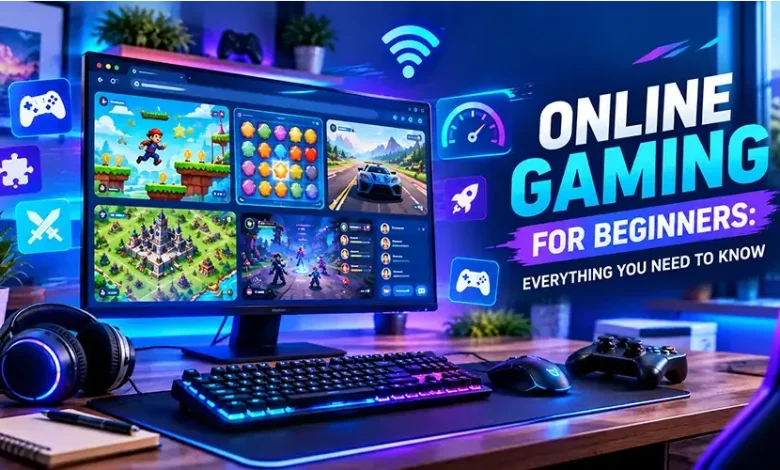
Starting with online games can feel surprisingly complicated. There are hundreds of genres, different ways to play, unfamiliar controls, account systems, multiplayer features, and games designed for everything from a five-minute break to a full evening session.
The good news is that you do not need expensive equipment or advanced gaming knowledge to get started. The best approach is to understand the basics, choose games that match your interests and available time, and learn a few simple habits that make playing more comfortable and safer.
What Online Gaming Actually Means
Online gaming refers to games that use an internet connection for some or all of their features. That can mean playing directly against other people, cooperating with friends, competing through online leaderboards, downloading new content, or simply accessing a game through a browser.
Not every online game is competitive. A puzzle game, strategy game, arcade title, or casual game can provide an online experience without requiring fast reactions or communication with other players.
This distinction matters for beginners because the word online does not automatically mean intense multiplayer competition. You can start with a relaxed single-player browser game and gradually explore more interactive experiences when you feel comfortable.
Choose Your First Game by Play Style
Instead of searching for the most popular game, start by asking what kind of experience you want. Your preferred pace, difficulty, and amount of interaction can make a much bigger difference to your enjoyment.
| Game type | What to expect | Good starting point if you enjoy |
|---|---|---|
| Casual | Simple rules and short sessions | Relaxed play and quick breaks |
| Puzzle | Problems, patterns, and logical challenges | Thinking and experimentation |
| Arcade | Fast rounds and straightforward objectives | Quick reactions and replayability |
| Strategy | Planning, resource management, and decision-making | Thinking several moves ahead |
| Action | Movement, timing, and active challenges | Fast-paced gameplay |
| Multiplayer | Interaction or competition with other players | Social and competitive experiences |
There is no requirement to stick to one category. Many players move between genres depending on their mood. A short puzzle game may be ideal during a break, while a strategy game may suit a longer session.
Browser Games Are an Easy Place to Begin
Browser games can be particularly convenient for new players because they are designed to run through a web browser rather than requiring a traditional gaming setup. Depending on the game, you may be able to start with a keyboard, mouse, or touchscreen.
They also make it easy to experiment. If a game does not suit you, you can move on without investing hours learning a complicated system.
For beginners, browser gaming can therefore be useful as a way to discover genres. You might begin with a simple arcade title, discover that you enjoy strategic decisions, and then look for deeper strategy games.
What You Need Before You Start
You do not need a high-end gaming computer for every type of online game. The requirements depend heavily on the game itself.
- A suitable device: This could be a computer, tablet, smartphone, or dedicated gaming system depending on the title.
- A stable internet connection: A reliable connection is especially important for real-time multiplayer games.
- A supported browser or game client: Keep your browser and operating system reasonably up to date.
- Comfortable controls: A mouse and keyboard may be useful for some games, while others work better with touch controls or a controller.
- Enough free time: Check whether the game works well for short sessions if you do not want long commitments.
Before installing anything, check the game’s official requirements when they are available. This can help you avoid problems caused by incompatible hardware, unsupported operating systems, or insufficient storage.
Learn the Core Controls Before Chasing High Scores
One of the most common beginner mistakes is trying to play at full speed before understanding the controls. Spend a few minutes learning how movement, interaction, attacks, menus, or other essential actions work.
If a game includes a tutorial, it is usually worth completing. Tutorials often introduce mechanics gradually, allowing you to understand the game’s rules without having to discover every control through trial and error.
Once the basic controls feel natural, focus on one mechanic at a time. For example, a beginner playing a strategy game could first learn resource management before worrying about advanced tactics.
Expect to Make Mistakes
Failure is part of learning almost every game. Losing a round or making a poor decision does not necessarily mean that you are bad at gaming; it often shows you exactly which mechanic you have not understood yet.
After a mistake, ask a simple question: What information did I miss? Perhaps you moved too quickly, ignored an objective, spent resources too early, or misunderstood an opponent’s strategy.
This approach turns mistakes into useful feedback. Instead of repeating the same action, you can change one variable during your next attempt and see whether the result improves.
How to Improve Without Becoming Frustrated
Improvement tends to be easier when you have a specific goal. Rather than deciding to “get better,” choose something measurable within the game itself.
- Learn one new mechanic during a session.
- Practice a difficult movement or control repeatedly.
- Improve your understanding of the game’s objectives.
- Study why a particular decision produced a poor result.
- Try a slightly higher difficulty after becoming comfortable with the current one.
Short, focused practice can be more useful than playing for hours while becoming increasingly frustrated. If your concentration drops, taking a break can make the next session more productive.
Online Multiplayer: What Beginners Should Know
Multiplayer games introduce another layer because other people are part of the experience. Their decisions may be unpredictable, and the pace can be faster than in a single-player game.
Do not feel pressured to perform immediately. Many multiplayer games have beginner-friendly modes, practice areas, casual matches, or progression systems that allow new players to learn gradually.
Communication can also matter. When voice or text chat is available, keep messages relevant and respectful. You do not need to respond to every player, and you should not feel obligated to continue a conversation that makes you uncomfortable.
If a multiplayer environment becomes unpleasant, using available mute, block, or reporting features can help you manage the experience.
Stay Safe While Playing Online
Online games can involve accounts, usernames, chats, purchases, and links shared by other users. Treat these features with the same caution you would use on any other online service.
- Use a strong, unique password for important gaming accounts.
- Enable two-factor authentication when the service provides it.
- Do not share passwords or verification codes with other players.
- Be cautious with unexpected links sent through game chats or communities.
- Review privacy settings before using voice, text, or social features.
- Check purchase details carefully before confirming a transaction.
- Use official websites and trusted stores when downloading software.
A username is also not a substitute for privacy. Avoid sharing unnecessary personal information such as your home address, private phone number, passwords, or financial details with people you meet through games.
Understand Free-to-Play and Paid Games
The price of a game does not tell you everything about the experience. Some games require an upfront purchase, while others are free to start and may offer optional purchases.
Before spending money, check what you are actually buying. Depending on the game, purchases can include cosmetic items, additional content, convenience features, subscriptions, or other digital goods.
For beginners, setting a personal spending limit can make gaming costs easier to control. A game can remain enjoyable without requiring you to purchase every optional item it offers.
Manage Performance Problems Early
If an online game feels slow or unresponsive, the problem may not necessarily be the game itself. Performance can be affected by your device, browser, network connection, background applications, or game settings.
Start with simple checks. Close unnecessary applications, make sure your browser is updated, and verify that your internet connection is stable. If the game offers graphics or performance settings, lowering demanding options may help on less powerful hardware.
For multiplayer games, pay attention to the difference between low frame performance and network latency. A game can display smoothly while still responding slowly because of connection problems.
Common Beginner Mistakes to Avoid
A few habits can make the early gaming experience unnecessarily difficult.
- Choosing a game only because it is popular: Popularity does not guarantee that its mechanics match your interests.
- Skipping the tutorial: You may spend more time confused later than you would have spent learning the basics.
- Trying to master everything at once: Focus on a small number of mechanics before moving to advanced systems.
- Ignoring settings: Controls, audio, graphics, accessibility, and privacy options can significantly affect your experience.
- Playing through frustration: A short break can be more useful than continuing while tired or annoyed.
- Trusting strangers with personal information: Keep private information private, even when another player seems friendly.
- Spending before understanding the game: Try the basic experience first and decide whether it is worth further investment.
A Simple First-Session Plan
If you are completely new to online gaming, your first session does not need to be complicated. Start with a game that has clear objectives and controls that you can understand quickly.
- Read the basic instructions or complete the tutorial.
- Spend a few minutes experimenting with the controls.
- Play a short session without worrying about performance.
- Identify one mechanic you understand and one that still confuses you.
- Adjust settings such as sound, controls, or graphics if necessary.
- Take a break and decide whether you actually enjoyed the experience.
The final step is important. The purpose of trying different games is not to prove that you can master everything. It is to discover which types of experiences you genuinely enjoy.
When to Move From Casual Games to More Complex Games
There is no fixed progression that every player needs to follow. You can stay with casual games indefinitely or move toward deeper strategy, action, or multiplayer experiences when you become curious about them.
A good sign that you are ready for something more complex is when you begin asking questions about the mechanics rather than simply trying to understand the controls. You may start wondering about optimal strategies, character abilities, resource management, maps, timing, or team coordination.
At that point, guides and practice can become much more useful because you already understand the basic language of the game.
Frequently Asked Questions
What is the easiest type of online game for a beginner?
Casual, puzzle, and simple arcade games are often easy starting points because their core rules can usually be understood quickly. The best choice still depends on whether you prefer thinking, quick reactions, exploration, or competition.
Do I need an expensive gaming PC to play online games?
No. Many browser and casual games have modest hardware requirements. More demanding games may require stronger hardware, so always check the requirements of the specific game before purchasing or installing it.
Are browser games safe?
Browser games can be safe, but the website providing the game still matters. Use reputable sources, avoid suspicious downloads or unexpected links, and do not provide sensitive information simply because a game requests it.
How can I improve at games faster?
Focus on one skill or mechanic at a time. Learn the controls, understand the objective, review mistakes, and practice deliberately instead of simply playing longer sessions.
Should beginners play multiplayer games?
Yes, if multiplayer sounds appealing. Look for casual or beginner-friendly modes and remember that learning the game is more important than immediately competing at a high level.
Final Thoughts
Getting started with online gaming is mainly about finding the right experience and learning at a comfortable pace. You can begin with a simple browser game, explore different genres, adjust your settings, and gradually move toward more complex games as your interests develop.
Keep your accounts secure, treat other players respectfully, and do not measure your enjoyment by how quickly you improve. The most useful first step is simply to find a game whose pace, mechanics, and style make you want to play another round.