Beginner’s Guide to Playing Browser Games: How to Start, Choose Games, and Improve

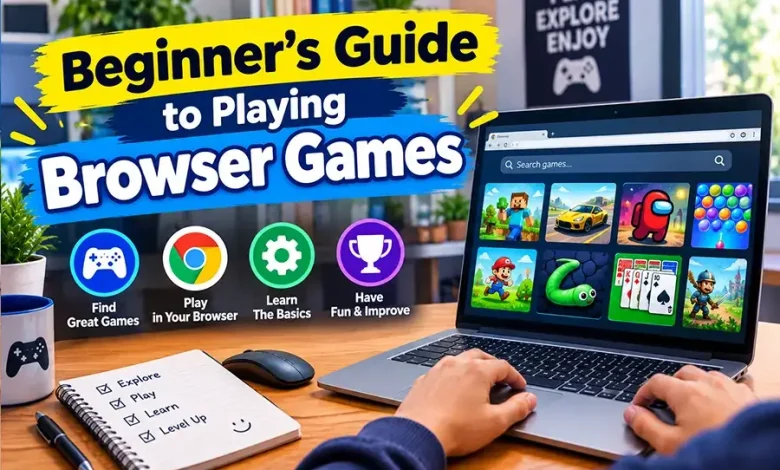
Starting a browser game should not require a long installation process, a powerful gaming computer, or a detailed understanding of gaming terminology. In many cases, you can open a game in your browser, learn a few controls, and start playing within minutes. The harder part for a new player is knowing which games to choose, how to understand unfamiliar mechanics, and what to do when the first few attempts go badly.
This guide to browser games for beginners focuses on those first decisions. You will learn how browser games work, which genres are easiest to approach, how to understand controls and objectives, how to improve without becoming frustrated, and what to check before spending time on a new game.
Start With the Right Kind of Game
Not every browser game offers the same learning experience. A fast action game may require quick reactions, while a puzzle game may give you unlimited time to think. Choosing a genre that matches your current experience can make the first few sessions much more enjoyable.
| Genre | What You Usually Do | Good Starting Point If You Prefer |
|---|---|---|
| Puzzle | Solve problems, match objects, or identify patterns | Thinking and experimenting |
| Arcade | Complete short challenges and react to changing situations | Quick sessions and simple objectives |
| Strategy | Manage resources, make decisions, or plan actions | Planning rather than fast reactions |
| Casual | Complete straightforward activities with simple mechanics | Relaxed and accessible gameplay |
| Action | Move, aim, attack, dodge, or react to threats | Fast-paced challenges |
There is no requirement to begin with the genre that seems most popular. If you enjoy solving problems, a puzzle game may teach you more about game mechanics than an action title that demands rapid reactions. The best first game is usually one whose basic objective you can understand quickly.
Understand the Game Before Trying to Master It
A common beginner mistake is attempting to play perfectly before understanding what the game is asking you to accomplish. Instead, separate the learning process into three simple questions: What am I controlling?, What is my objective?, and What causes me to succeed or fail?
For example, an arcade game might require you to move a character through obstacles while collecting items. At first, your goal is not to achieve a high score. It is to discover how movement works, how obstacles behave, and which actions cause the game to end.
Once those basics become familiar, you can start thinking about efficiency. This approach prevents the first few mistakes from feeling like failures because each attempt gives you information about the game’s rules.
Learn the Controls in a Low-Pressure Way
Browser games often use familiar keyboard and mouse controls, but there is no universal control scheme. Before starting seriously, spend a minute testing movement, interaction, attacking, jumping, or other important actions.
- Check whether movement uses the arrow keys or WASD.
- Look for instructions explaining mouse controls or clicking.
- Identify the key used for an important action such as jumping or interacting.
- Check whether the game pauses when you move away from the browser tab.
- Read any tutorial prompts before dismissing them.
If the game has several controls, do not try to memorize everything immediately. Learn the actions required for the current situation and add new controls as they become relevant.
For mouse-based games, also pay attention to where you click. A small mistake may activate an unwanted menu or action. Taking a few seconds to understand the interface can prevent unnecessary restarts.
Use the First Few Attempts as Practice
Your first attempt at an unfamiliar game is often the least informative if you focus only on winning. A better approach is to give each early attempt a specific purpose.
- First attempt: learn the basic controls and objective.
- Second attempt: identify what caused your first failure.
- Third attempt: change one part of your approach and see what happens.
- Later attempts: combine what you have learned and focus on consistency.
Changing one variable at a time is particularly useful. If you change your movement, strategy, route, and timing simultaneously, it becomes difficult to know which change actually helped.
This method also works well for puzzle and strategy games. You do not always need faster reactions; sometimes you simply need a better understanding of the rules.
Recognize the Difference Between Difficulty and Confusion
A game can feel difficult for two very different reasons. You may understand exactly what you need to do but struggle to execute it, or you may not understand why your actions are succeeding or failing.
If the problem is execution, repeated practice can help. If the problem is confusion, more repetition may not solve anything. In that situation, stop and examine the objective, interface, available actions, or game rules.
For example, repeatedly losing a level because your character moves too slowly is an execution problem. Repeatedly losing because you do not understand what triggers the next stage is a knowledge problem. Treating both problems the same way can waste time.
Choose Short Sessions When You Are Learning
Long sessions are not automatically better for improving. When you are learning an unfamiliar game, concentration can decline before you notice it. Once mistakes become repetitive rather than informative, taking a break can be more useful than continuing.
Short sessions also make browser games convenient for beginners. You can play for a few minutes, identify one thing to improve, and return later with a clearer idea of what you want to accomplish.
A simple goal such as “learn the movement system” or “finish one level without using a restart” is more useful than playing without any specific objective.
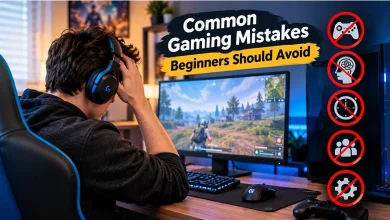
Common Beginner Mistakes and Better Alternatives
Ignoring the tutorial
Tutorials can appear obvious, but they often introduce mechanics that are not immediately visible. If a game provides instructions, use them as a reference rather than assuming you will discover everything naturally.
Trying to move too quickly
Speed can become useful later, but beginners often make avoidable mistakes by rushing before they understand the environment. First learn safe movement and predictable patterns, then increase your pace.
Repeating the exact same strategy
If an approach fails several times for the same reason, repeating it without modification is unlikely to produce a different result. Identify the specific problem and change one part of your strategy.
Choosing a game based only on appearance
Visual style can attract you to a game, but it does not tell you whether its mechanics suit your preferences. Check the objective and controls before committing to a longer session.
Comparing yourself with experienced players
Someone who has spent considerable time with a game will naturally understand its controls, patterns, and strategies better than a new player. Your early progress should be measured against your own previous attempts.
How to Pick a Browser Game You Are Likely to Enjoy
Before starting a new title, consider how much time you want to spend and what kind of mental effort you want from the session.
- For a quick break: look for simple arcade, puzzle, or casual mechanics.
- For problem-solving: choose games built around puzzles, logic, or resource management.
- For fast reactions: action and arcade games may provide a better fit.
- For planning: strategy games can offer more deliberate decision-making.
- For experimentation: choose games that allow you to try different approaches without severe penalties.
Also consider the amount of explanation the game provides. A complex game can still be beginner-friendly if it introduces its systems gradually. Conversely, a game with simple-looking controls can be frustrating if it gives little information about its objectives.
Pay Attention to Performance and Browser Issues
Not every problem during a game is caused by poor play. Browser performance can affect how responsive a game feels, particularly when a page is using significant system resources.
If controls feel delayed or the game behaves inconsistently, check whether other browser tabs or applications are consuming resources. Refreshing the page may also resolve a temporary problem, although you should consider whether doing so will reset your current progress.
Keeping your browser updated and using a stable connection can also reduce avoidable technical problems. If a game requires an account to save progress, make sure you understand how its progress system works before closing the page.
Build Better Skills Without Overcomplicating Things
Improvement becomes easier when you focus on a small number of skills rather than trying to fix everything at once. In a reaction-based game, for example, you might first work on movement before worrying about advanced tactics.
In a strategy game, concentrate on understanding resource management before attempting sophisticated plans. In a puzzle game, focus on recognizing patterns and understanding the consequences of each move.
A useful progression is understand, practice, review, adjust. You understand the mechanic, practice it, identify what went wrong, and adjust your next attempt. That cycle is more productive than simply playing longer.
A Simple Beginner Routine
If you are completely new to browser gaming, the following routine provides an easy starting point without turning casual play into a complicated training program.
- Choose one game with a clear objective.
- Read its basic instructions before playing seriously.
- Spend a few minutes learning the controls.
- Play one complete attempt without worrying about your score.
- Identify the main reason you succeeded or failed.
- Change one thing during your next attempt.
- Stop when you are no longer learning from repeated attempts.
After becoming comfortable with one type of game, try another genre. Moving between puzzle, arcade, strategy, and action games can expose you to different types of decision-making and help you discover which mechanics you actually enjoy.
Questions Beginners Often Ask
Do I need a gaming computer to play browser games?
Not necessarily. Browser games vary widely in technical demands, and many simple games are designed around straightforward mechanics. More demanding browser experiences can require more capable hardware, so performance depends on the individual game and computer.
Are browser games difficult to learn?
Some are extremely easy to understand, while others have deeper systems. Start with games that clearly explain their objective and controls, then move toward more complex titles as you become comfortable.
What should I do if I keep losing?
Determine why you are losing before simply restarting. If you understand the problem, change one part of your approach and test it. If you do not understand the cause, spend time learning the game’s mechanics instead.
Which browser game genre is easiest for beginners?
There is no single easiest genre for everyone. Puzzle and casual games can be accessible because they often emphasize simple interactions, while arcade games may be appealing to players who prefer quick challenges.
How long should a beginner play each session?
There is no fixed ideal duration. A useful stopping point is when additional attempts are no longer teaching you anything new or when concentration begins to decline.
Final Thoughts
Learning to play browser games is less about mastering complicated techniques immediately and more about choosing an appropriate starting point, understanding the rules, and treating early mistakes as useful information. Start with a game whose objective makes sense to you, learn its essential controls, and improve one skill at a time.
Once those habits become natural, you can explore more demanding genres and mechanics with much less frustration. The goal is not to become an expert on your first session; it is to understand the game well enough that each new attempt gives you a reason to keep playing and improving.